 Security To Create New Mfg For Nsb On Quote Order
 .
.
| Document Version | v.1 |
|---|---|
| Document Last Updated | 08/27/2025 |
| Software Version Documented | v.10x |
Task/Problem Overview
Security to Create new MFG ( manufacturer code) for NSB (non-stock build) item on Quote/Order
This document describes requirements to add a new security setting that disallows the ability to create a new manufacturer while entering an order.
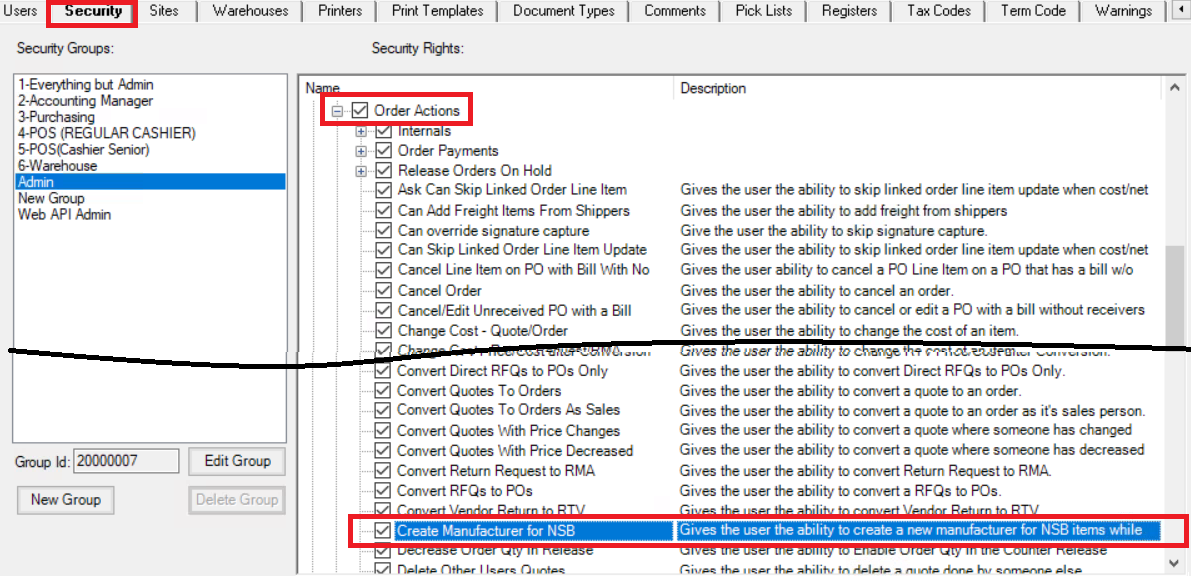
Admin > Administrator > Security > Order Actions
Create Manufacturers for NSB security is UNCHECKED - Gives the user the ability to create a new manufacturer for NSB items while on an order.
Normal Items
New Item - Enter Non Existing MFG
-
Open a new quote
-
Enter header information
-
Type in a new part number
-
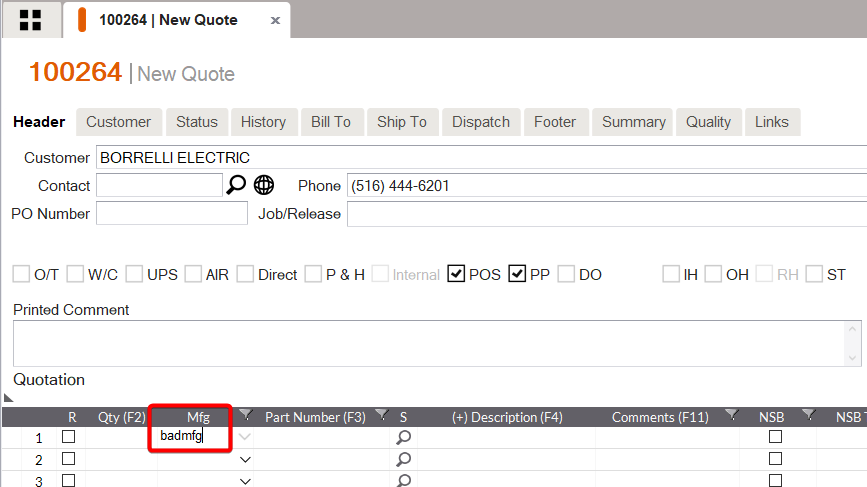
Type in a non existing MFG. Press tab
-
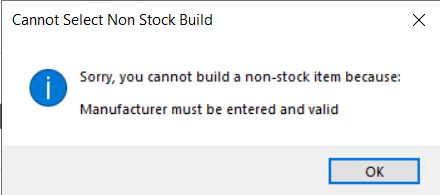
A dialog box appears stating
- “Sorry, you cannot build a non-stock item because: Manufacturer must be entered and valid.” Click OK..
-
Must choose an existing MFG
Existing Items - Enter Non Existing MFG
-
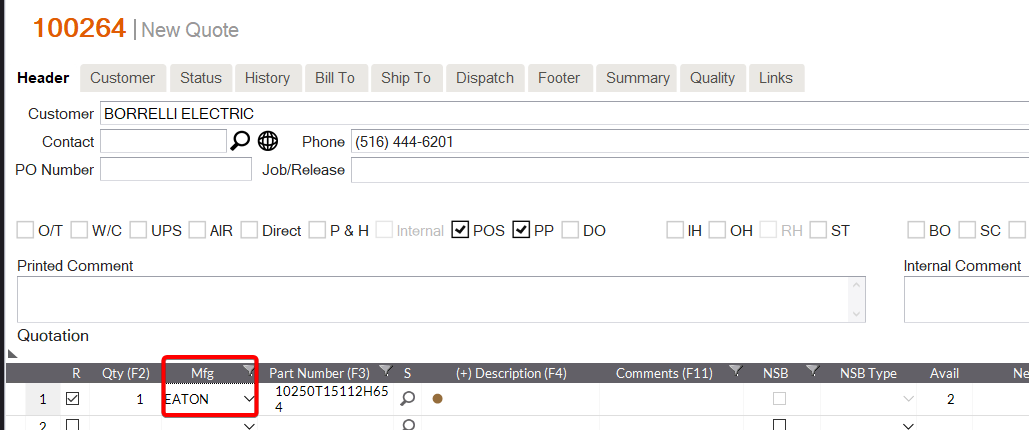
Enter existing part number. MFG is already populated
-
Click into MFG field
-
Override it with a non existing MFG. Press tab
-
A dialog box appears stating “Sorry, you cannot build a non-stock item because: Manufacturer must be entered and valid”. Click OK..
-
Default MFG is still selected
-
Line does not turn part number into a new item
Lot Project and Lot Project Items
New Lot Project w/ Existing Lot Project Item
-
Open a new quote
-
Enter header information
-
Enter an existing Lot Project
-
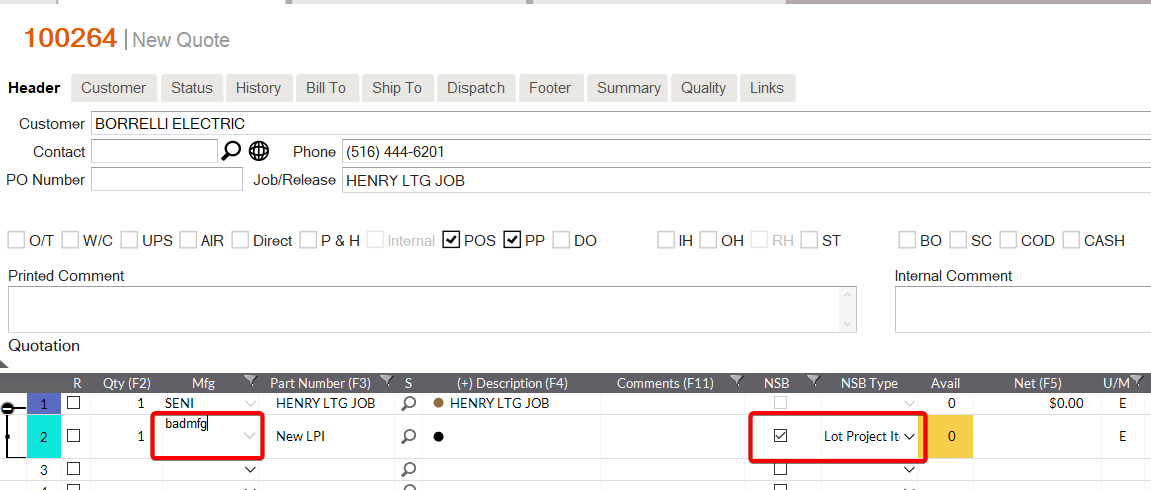
Enter a new Lot Project Item and mark it NSB as a Lot Project Item
-
Click into MFG field
-
Type in a non-existent MFG. Press tab
-
A dialog box appears stating “Sorry, you cannot build a non-stock item because: Manufacturer must be entered and valid” Click OK..
-
must choose an existing MFG to continue
New Lot Project w/ New Lot Project Item
-
Enter a NEW lot project parent line
-
Enter a new Lot Project and mark it NSB as a Lot Project Item Itemclick into MFG field
-
Type in a non-existent MFG. Press Tab
-
A dialog box appears stating “Sorry, you cannot build a non-stock item because: Manufacturer must be entered and valid” Click OK..
-
must choose an existing MFG to continue
New Lot Project w/ NO Lot Project Item
-
Enter a new Lot Project and mark it NSB as a Lot Project Item
- Without entering a lot project parent
-
click into MFG field
-
Type in a non-existent MFG. Press Tab
-
A dialog box appears stating “Sorry, you cannot build a non-stock item because: Manufacturer must be entered and valid.” Click OK.
-
must choose an existing MFG to cont
New NSB Under Existing Lot Project Item
-
Enter an existing lot project and Lot Project Item
-
Enter new item code
-
Mark it as NSB and Normal
-
MFG auto populates to whatever Lot Project Item’s MFG is
-
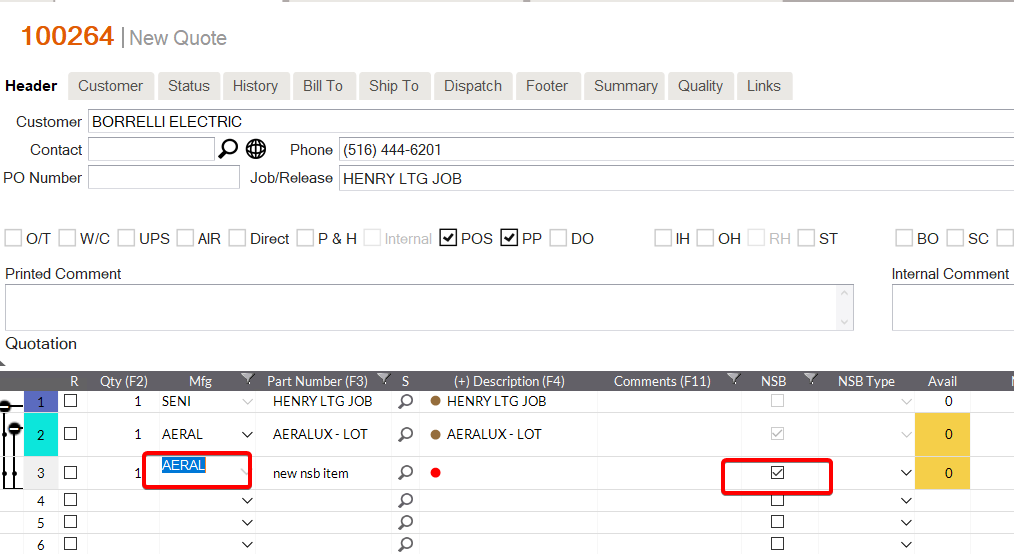
Click into MFG field
-
Override it as a non existing MFG. Press Tab
-
A dialog box appears stating “Sorry, you cannot build a non-stock item because: Manufacturer must be entered and valid.” Click OK.
New NSB Under New Lot Project Item
-
Enter an existing Lot Project
-
Create a new Lot Project Item
-
Enter new item code
-
Mark it as NSB and Normal
-
MFG auto populates to whatever lpi’s MFG is
-
click into MFG field
-
-
Override it a non existing MFG. Press Tab
-
A dialog box appears stating “Sorry, you cannot build a non-stock item because: Manufacturer must be entered and valid.” Click OK.
Existing NSB Under Existing Lot Project Item
-
Enter an existing lot project and Lot Project Item
-
Enter (existing) part number. Press tab
-
MFG is already populated but may not match Lot Project Item’s MFG
-
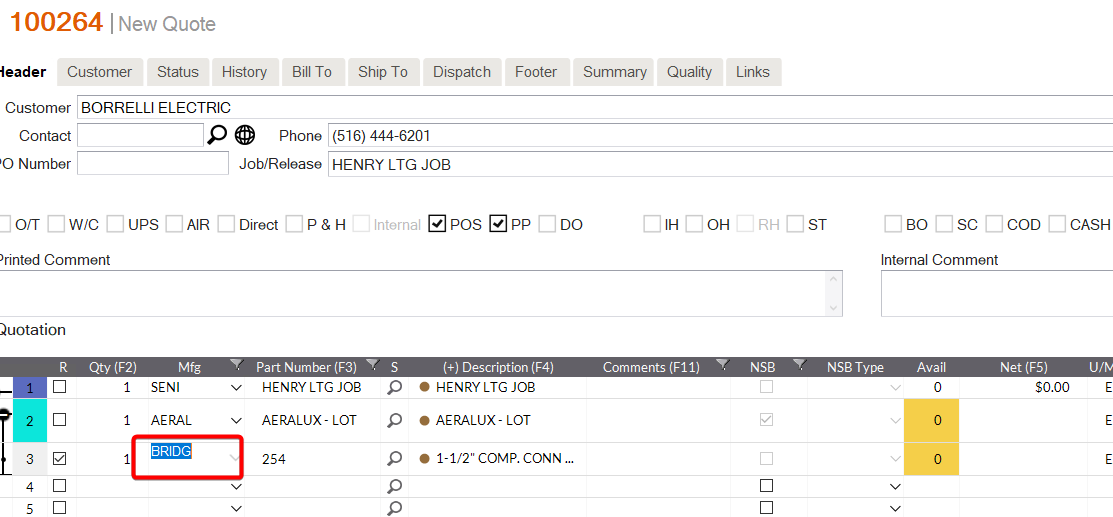
Click into MFG field
-
Override it with a non existing MFG. Press Tab
-
A dialog box appears stating “Sorry, you cannot build a non-stock item because: Manufacturer must be entered and valid.” Click OK.
-
Default MFG is still selected
-
line does not turn part number into a new item
-
must choose an existing MFG or use Default MF
Existing NSB Under New Lot Project Item
-
Enter an existing lot project
-
Create a new Lot Project Item
-
Enter (existing) part number. Press tab
-
MFG is already populated but may not match Lot Project Item’s MFG
-
Click into MFG field
-
Override it with a non existing MFG. Press Tab
-
A dialog box appears stating “Sorry, you cannot build a non-stock item because: Manufacturer must be entered and valid.” Click OK
-
Default MFG is still selected
-
line does not turn part number into a new item
-
must choose an existing MFG or use Default MFG
Other Lot Project Scenarios
Still Can Change MFG on Existing Lot Project Item
-
choose an existing lot project parent and Lot Project Item
-
When click on MFG fo Lot Project Item
-
am able to change MFG to another existing MFG
-
system does not consider this a new Lot Project Item
Still Can't Change MFG On New or Existing Lot Project
-
Choose an existing lot project parent and Lot Project Item
-
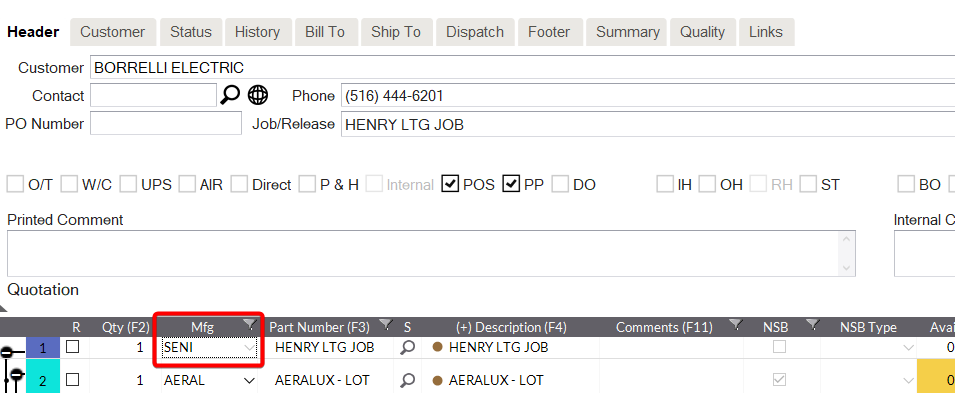
Click on MFG field for lot project parent
-
Cannot because it is disabled
-
Will only say SENI